
NEWS & GUIDES
How to choose BT, NT, R8 and MT tool holders
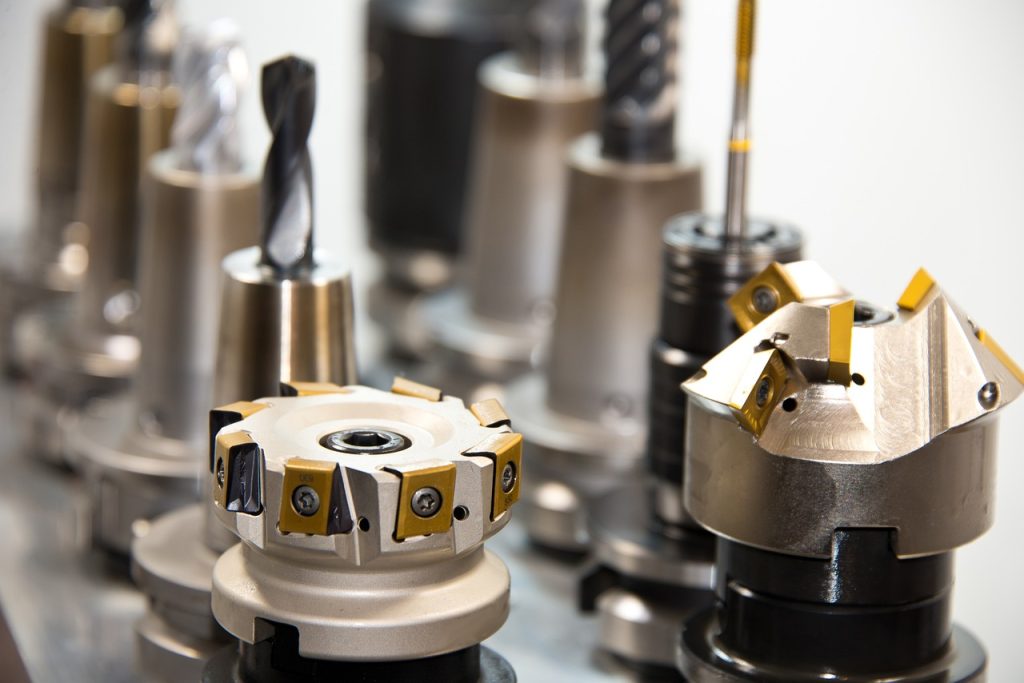
If a request only says “ER32 holder,” it is not ready to order. ER32 tells us which collet family holds the cutting tool. It does not tell us which machine spindle the holder must fit, how the holder is retained, or how far it needs to reach. A BT40-ER32-100 holder, an NT40-ER32 holder and an R8-ER32 holder may use the same ER32 collet family at the front, but their machine connections are different.
Identify the machine connection before the collet size
Start with the machine manual and the complete marking on a holder that already runs correctly in the spindle. Photograph the taper, flange and retention end. Do not identify a holder from the front nut alone. Haas, for example, treats BT and CT tooling as different systems and specifies the matching retention hardware for each spindle in its mill tooling guidance.
| Family | First item to verify | Next detail needed for a quote |
|---|---|---|
| BT | Exact BT size shown by the machine or an approved holder | Pull stud, changer clearance, coolant path and holder length |
| NT | NT size and the machine drawbar arrangement | Drawbar thread, rear geometry and a mating drawing |
| R8 | R8 spindle and drawbar | Direct R8 collet or an R8 holder with a separate front connection |
| MT | Morse taper number | Threaded or tang-ended form, retention method and operation |
The published scopes of ISO 7388-2 and ISO 15488 are useful here: the machine-side shank and the collet system are separate parts of the assembly. A similar-looking taper or a shared ER size is not proof of interchangeability.
For machine-specific catalog options, compare R8 ER collet chucks and drawbar choices with NT40 ER32 and NT50 ER32 ordering families. If the machine uses R8, the ER vs R8 collet comparison also explains why a direct R8 collet and an R8 ER holder are different purchases.
Match the Morse taper and complete drawbar thread
The MT ER collet holder table lists the machine taper and drawbar thread with each model. These three catalog rows show why the ER size alone is not enough:
| FuRui ordering code | L (mm) | D (mm) | Thread G |
|---|---|---|---|
| MT2-ER25-55 | 55 | 42 | M10x1.5 |
| MT3-ER32-60 | 60 | 50 | M12x1.75 |
| MT4-ER32-60 | 60 | 50 | M16x2 |
MT3-ER32-60 and MT4-ER32-60 share the listed L = 60 mm and D = 50 mm, but have different Morse tapers and drawbar threads. Keep the pitch in the request: M12x1.75 is more specific than “M12.” These are drawbar-threaded catalog versions; a matching taper socket alone does not approve a machine, retention arrangement or operation.
For an MT2 machine, compare the MT2 ER20 and ER25 dimensions and model-specific inquiry links after confirming the M10x1.5 drawbar connection.
Choosing between the two listed MT4 ER collet chucks
Once MT4 and the M16x2 drawbar thread are confirmed, the catalog offers MT4-ER32-60 and MT4-ER40-70. Their L/D values are 60/50 mm and 70/63 mm respectively. Choose the ER series for the intended tool shanks, then check access and the final drawing. See the MT4 ER32 and ER40 comparison and model-specific inquiry links; the shared machine-side taper does not make the front-end collets interchangeable.
Download the Morse taper ER selection and inquiry worksheet (fillable PDF, 2 pages) to keep all seven catalog rows beside your machine, drawbar and individual collet requirements. Complete it in a PDF reader, save a copy and email it with the relevant drawings. It does not certify fit or runout and does not submit automatically.
How to read BT40-ER32-100
Use the full code, from left to right. In the FuRui catalog, BT40 identifies the machine-side family, ER32 identifies the collet system, and 100 is the listed L1 value in millimeters for that catalog model. The dimensional table for this row also lists D1 as 50 mm and D as 44.45 mm. These letters must be read against the product drawing; another supplier may label its drawing differently.
| FuRui catalog family | Listed L1 options (mm) | D1 (mm) | D (mm) |
|---|---|---|---|
| BT40-ER25 | 70, 100, 125, 150 | 42 | 44.45 |
| BT40-ER32 | 70, 100, 150 | 50 | 44.45 |
| BT40-ER40 | 80, 100, 120, 150 | 63 | 44.45 |
This table answers a narrow question: which combinations appear in the catalog. It does not establish the pull stud, nut, collets, coolant arrangement, balancing grade, permitted speed or measured runout of a quoted assembly. Those points belong on the quotation and final drawing. See the complete BT ER collet holder specification table for BT30, BT40 and BT50 rows.
For a printable comparison, download the BT ER holder and ER collet reference (PDF, 2 pages). It combines the nine BT holder rows with the seven ER series bore ranges and keeps the holder code separate from the individual collet bore.
Choose the front connection for the cutting tool
An ER holder needs an ER collet of the same series and a bore that matches the tool shank. The cutter diameter is not a substitute for the shank diameter. Once the machine interface is fixed, select the tool-side connection for the operation:
- Side-lock end mill mounting: compare BT SLA side-lock holders and BT SLB side-lock holders. Match the tool shank, holder bore, length and retention details on the selected drawing.
- Morse taper tools on a BT interface: check the socket and length options for BT MTA adapters or BT MTB adapters. These have a Morse taper tool socket; they are not the MT ER holders described above, which have a Morse taper machine-side shank.
- Rough boring: compare BSA Type A, 45-degree cutter arrangement with BSB Type B, 90-degree arrangement. Select the model-specific boring range, bar diameter and reach; a family-wide range is not the capacity of every holder.
- Face milling: compare BT FMB metric-pilot face mill arbors with BT FMA inch-pilot face mill arbors. In this catalog, BT40-FMB22 lists a 22 mm mounting pilot, while BT40-FMA25.4 lists a 25.4 mm (1 inch) pilot. These dimensions describe the cutter mounting bore, not the cutter outside diameter. Match the drive features, fixing hardware and selected L1 as well as the pilot.
- Drilling: choose BT drill chuck arbors when retaining or specifying a separate chuck with a confirmed JT or B mounting socket. For a combined holder and chuck, compare BT SPU integrated drill chuck holders. An SPU13 request still needs the BT size, actual drill-shank sizes and required reach; the grouped SPU8/13/16 row is not a confirmed clamping-capacity chart.
- Tapping: select the holder and tap adapter for the machine’s tapping cycle. Use the tap holder selection checklist to confirm the holder interface, tap shank and square dimensions, required reach and package contents.
For ER assembly, the collet is fitted into the nut before the nut is screwed onto the holder. REGO-FIX also advises using the correct shank range and adequate insertion length in its ER collet instructions. Use the instructions supplied with the actual holder, nut and collet set you purchase.
Decide the reach from a drawing, not from a guess
Mark the holder length reference on a simple setup sketch. Add the tool projection, workpiece wall, fixture and nearby clamps. BT40-ER32-70, -100 and -150 share the same catalog interface and collet family, but they do not place the nut in the same position. The shortest option is not always able to reach the feature, and the longest option should not be selected without checking the complete setup.
When the holder has a straight shank instead
A straight-shank ER extension has a cylindrical receiving shank rather than the BT, NT, R8 or MT machine connection discussed above. Check the receiving holder or socket, the required clamping engagement and the complete setup; a matching nominal diameter alone does not confirm suitability.
For example, the C20-ER20M-150 Type M collet chuck lists a 20 mm shank and an ER20 front connection. In the FuRui table, 150 is L1; total L is 190 mm and D is 28 mm. Do not order it as a 150 mm overall-length holder. Compare the selected drawing with the standard C20 ER20 and Type M comparison, including the nut envelope and wrench access. Order the required ER20 collet bores separately from the holder code.
Send these details with an inquiry
- Machine make, model and spindle designation.
- Complete code from a holder already approved for the machine.
- Photo of the taper, flange and retention end.
- Tool shank diameters and the ER collets required.
- Required holder length or a marked setup drawing.
- Coolant requirement, quantity, destination country and required delivery date.
- Whether the quote must include the nut, collets, pull stud and wrench.
For a replacement, send the old holder code and photos before measuring individual features. For a new setup, send the machine documentation and fixture drawing. Contact FuRui Tooling for a model and drawing check before placing an order.
Sources and scope
The straight-shank example was checked against the linked FuRui Type M product table on 1 October 2026. L and L1 refer to that table and drawing, not a universal supplier convention.
The FMB, FMA, JT/B and SPU comparisons use the linked FuRui product tables, checked 27 September 2026. Family codes distinguish the listed mounting arrangements; final fit, package contents and operating limits require confirmation for the quoted model. Browse the complete CNC tool holder category for the remaining interfaces.
The BT ER and MT ER dimensions above come from the catalog tables on this website. The MT ER examples and fillable worksheet were checked against the published MT ER table on 2 October 2026. External references remain Haas mill tooling guidance, ISO 7388-2:2007, ISO 15488:2003 and REGO-FIX ER assembly guidance, rechecked 8 October 2026. Third-party performance figures are not FuRui specifications.